
Play test
Play your draft from any node, with the values you choose.
A play test runs the draft as it is now, on the same screen players see. Each turn Plotti writes costs Poro, paid by you; parts you wrote yourself cost nothing.
Starting a play test
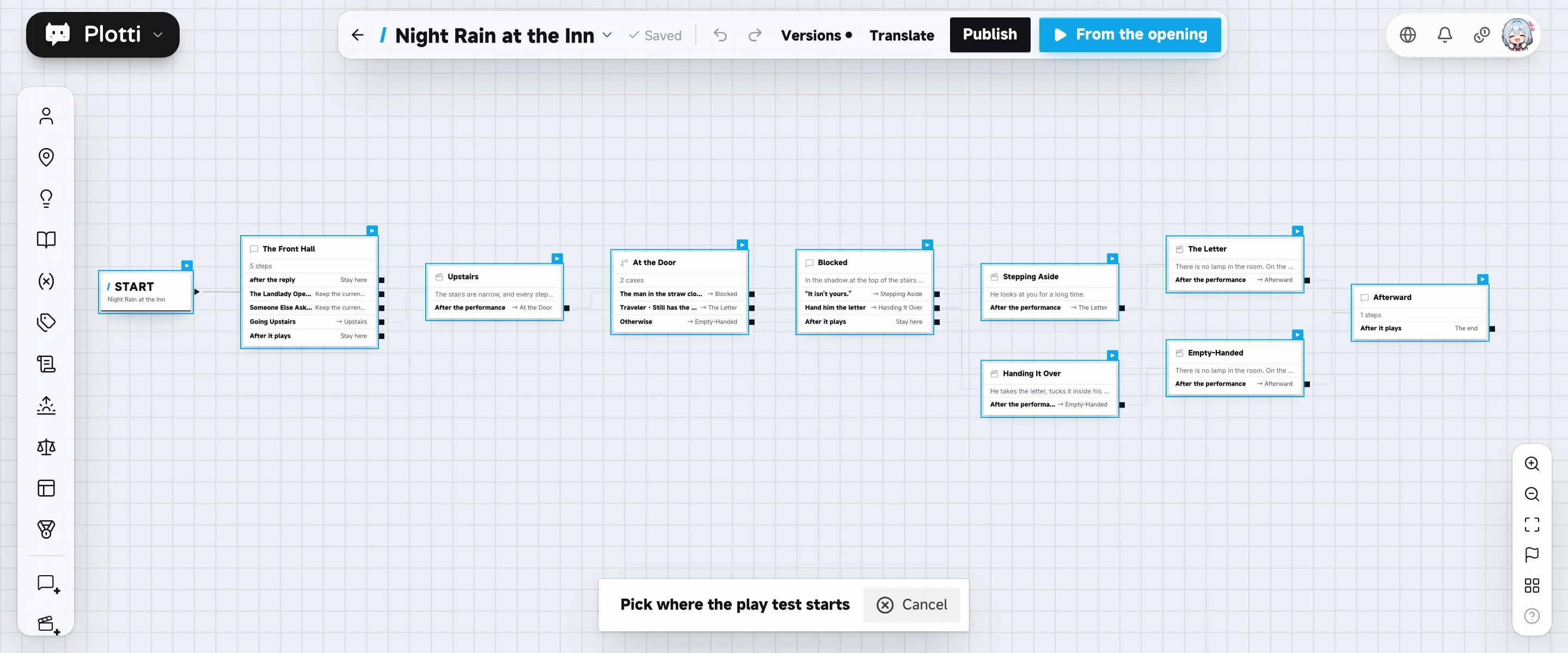
Click Play in the top bar. The canvas switches to Pick where the play test starts: the cards you can start from show Start here, and the rest turn grey.
- From the opening, the blue button in the bar, starts at the opening with every value at its starting value.
- Click Start here on a card to start from that node instead. A node's ⋯ menu also has Play test from here.
- Cancel, or Esc, goes back to editing.
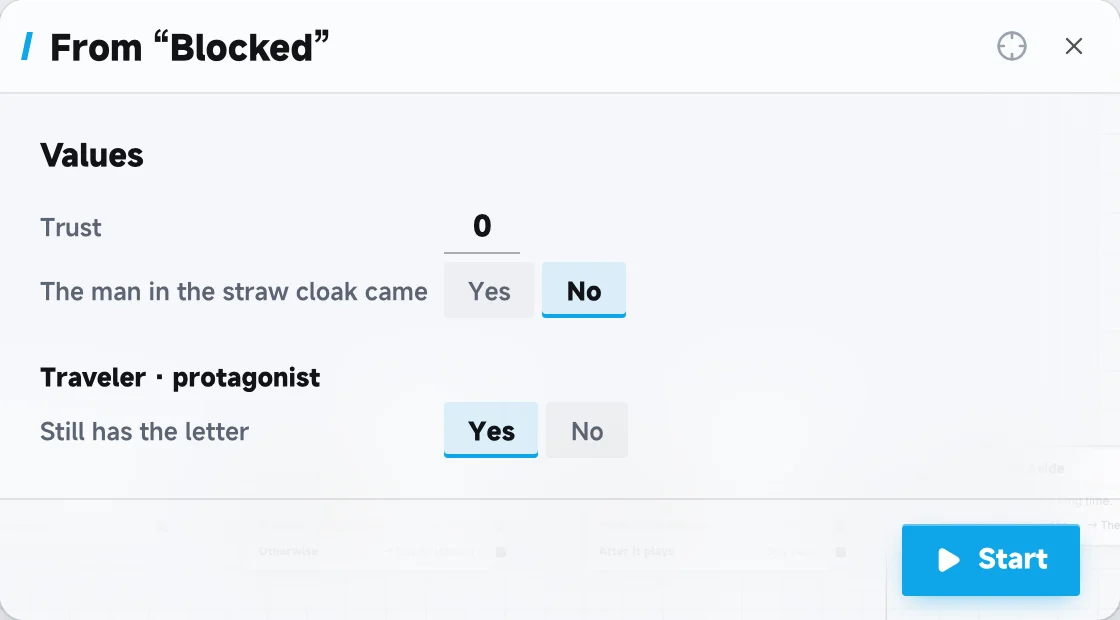
When you start from a node, a form lists the story's Values, so you can set them as they should be at that point: leave the player with 3 HP, or mark a letter as read. A changed value has ↺ to put it back, and Reset all puts back all of them. If the story has achievements and your conditions read them, you can also choose which ones the player holds at the start. Click Start to begin. Pick another goes back to the canvas.
These settings are kept for your next play test of this draft.
While you play
Play as a player would. Undo this turn takes back the last turn, so you can try a different answer.
Each play test is a new run of the current draft. To see an edit take effect, close the play test and start again.
A play test stops at an exit that is Not decided yet, and says where it stopped.
Problems
A red count in the top bar means the draft has problems. Click it to open Problems, grouped as:
- Fix before playing: the play test cannot start until these are fixed. Clicking Play then opens this list;
- Fix before publishing: the play test runs, but the story cannot be published yet. An exit that is not decided yet is one of these;
- Notes: things worth a look, such as a variable nothing reads.
Click a problem to jump to it.