
Events and automatic events
Things that can happen in a scene, and rules that fire on their own.
Events change the story's numbers and direction in response to what happens. There are two kinds:
- an event is something that can happen in a scene. Plotti reports it when her reply tells it, and the effects you wrote apply;
- an automatic event fires on its own when its condition holds, without Plotti: "Night 3: the wolves come."
Plotti never decides an effect or a destination herself. She only reports which event happened; what the event does is up to you.

Events in a scene
In an interaction's Leaving zone, click Add event.
- Happens when: what counts as this event, in words. "The player eats one of the mushrooms."
- Event effects: what it changes. HP −7, Pela's affinity +20.
- After the event: where the story goes. Keep the current destination stays on course.
More settings are at the foot of the form:
- Active when: a condition on the story, such as only at night. While it does not hold, the event cannot happen;
- Happens by itself when: while this holds, Plotti must tell the event in her next reply. Use it for things that must not be skipped;
- The line must satisfy: a condition on what was reported, checked as it is reported;
- Happens again, under Advanced: Any time, or After a wait of some turns.
The reply must be able to report events: in its What comes back, turn on May report the node's events. See Replies.
Share across the story makes an event apply in every scene, not only this one.
Automatic events
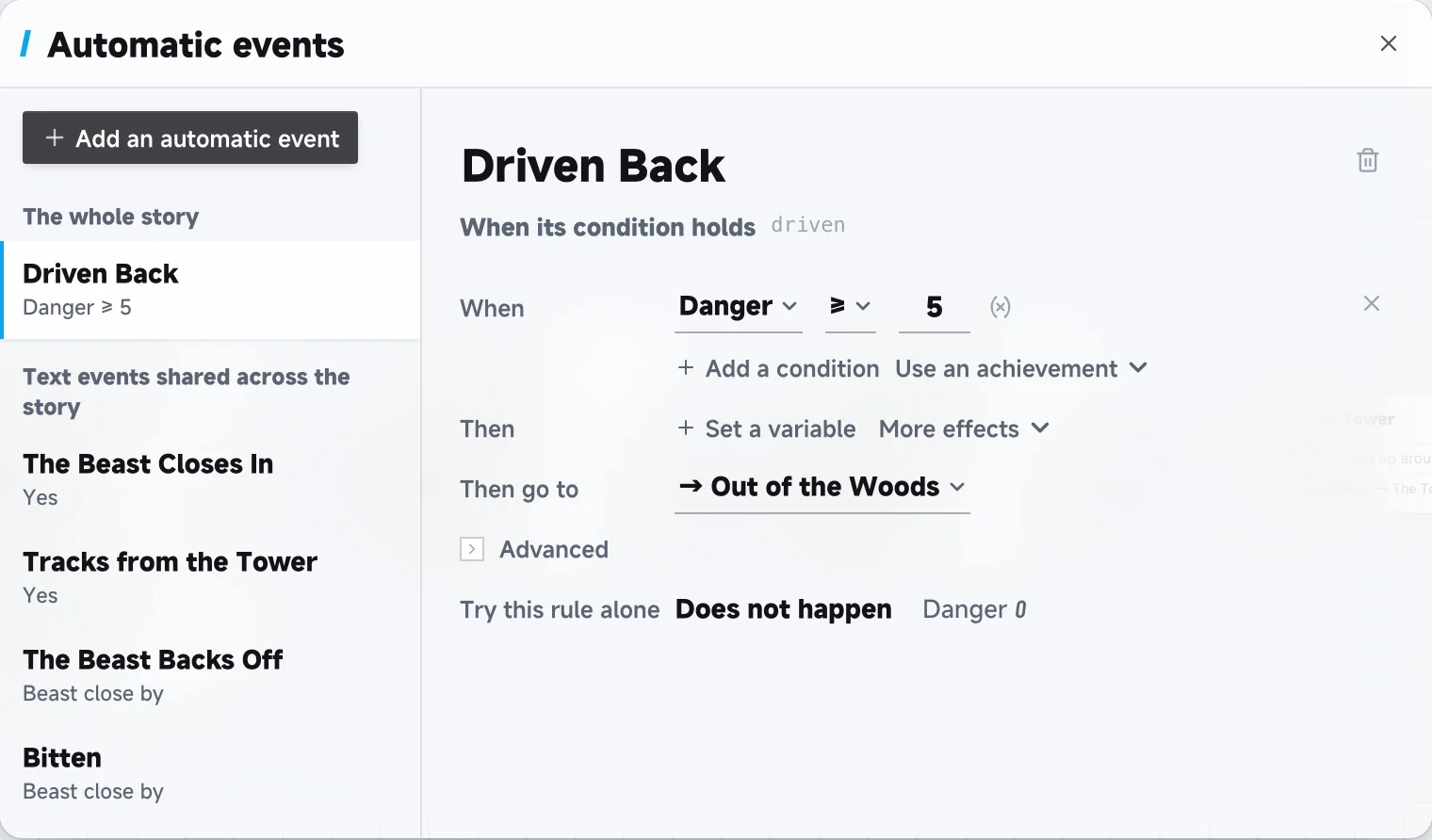
Open Automatic events in the left rail and click Add an automatic event. Each one reads as a sentence:
- When: the condition, such as "Night is 3";
- Then: the effects;
- Then go to: a node, if it should move the story;
- Opens a card: a card to show the player;
- Happens again: whether it can fire again, and after how many turns.
Automatic events are checked whenever a value changes and whenever the story enters a node, in every scene. The player sees a line saying which rule fired and what it changed, for the values they can see.
An automatic event that can fire again with no wait must change a value its When reads; otherwise it would fire forever, and the editor refuses it.
Try this rule alone shows what the rule does from the starting values.
An interaction's Leaving zone links to them with Story-wide automatic events.