
Variables
Numbers, text and yes/no values the story keeps: who sees them and what changes them.
Variables are the numbers and facts a story keeps track of: the player's HP, how much Pela likes you, whether the letter has been read. Every number on the player's screen comes from one of them, and only your story can change them.


Still awake? The fire is almost out.
Making a variable
Open Variables in the left rail and click Add a variable.
- Belongs to: the Story, or a character (a character's variables are also its Stats).
- Type: Number, Text or Yes / no. The type cannot be changed once created.
You can also make one where you first need it: effect and condition pickers offer New variable….
The sheet has:
- Starting value, and for a number, Minimum and Maximum;
- Visible to the player: Visible or Hidden. A visible number with a maximum, or a yes/no, can be drawn as a bar or another style under Shown as. Where it appears on screen is set in The screen;
- Visible to Plotti: Hidden means Plotti is never told the value. A secret the player must work out can be hidden from both;
- How it changes, on a character's variables only (below).
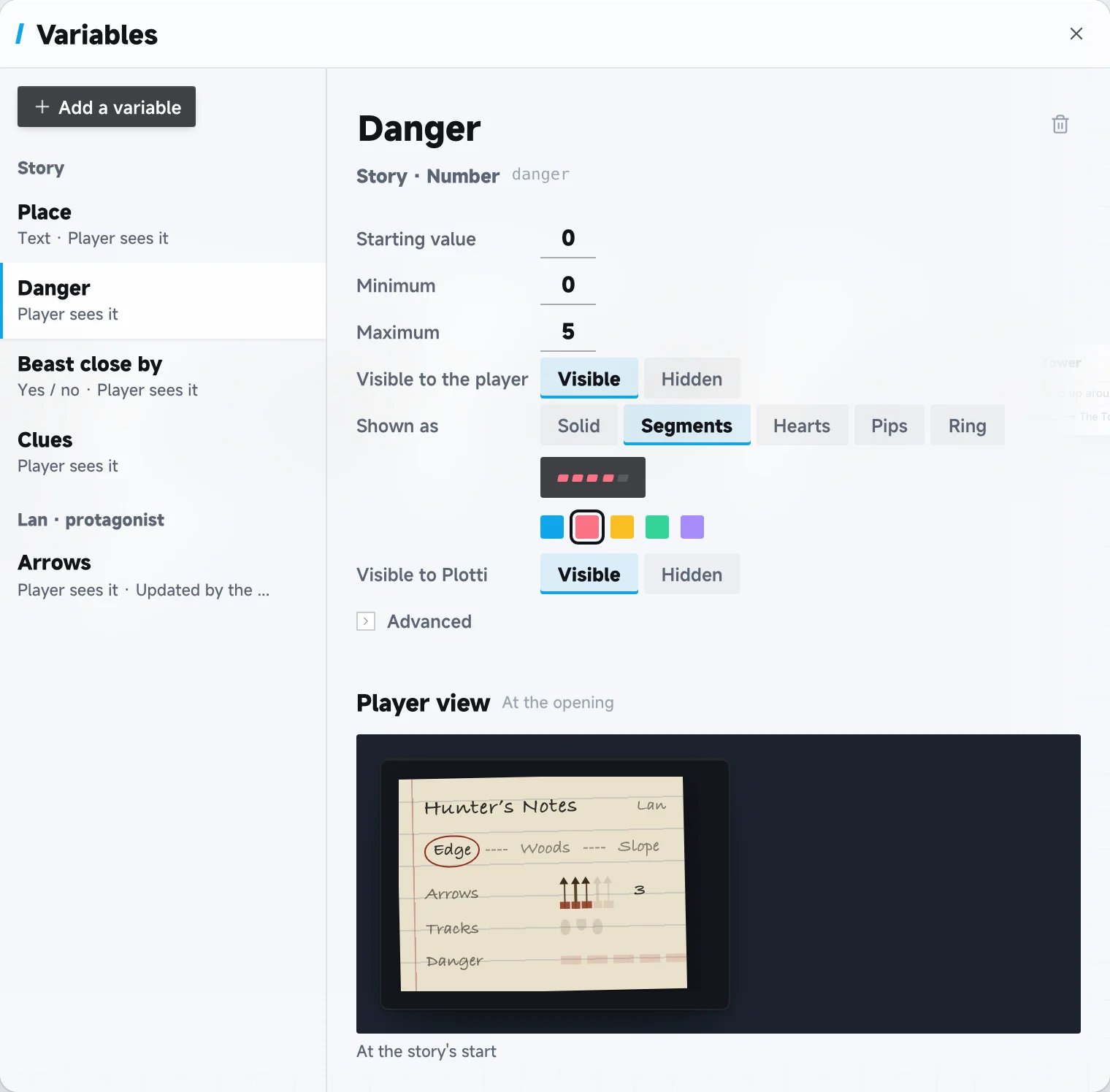
Player visibility and Plotti visibility are separate: a value can be on the player's screen and hidden from Plotti, or the other way round.
What changes a variable
- a Set a variable step, in any node;
- Effects when picked on an option, or the effects of a button on the screen;
- the effects of an event or an automatic event;
- the result of a check;
- How it changes: a sentence on a character's variable, such as "Rises when the player is kind to her, falls when they lie." Plotti updates the value by it as she writes. Left empty, it reads Rules only: only the effects you write change it.
What reads a variable
- conditions: Add a condition in a branch, a leave condition, an event;
- Shown when on options and screen items;
- an option's label can show a value's current number, such as "Pay (12 gold left)".
The sheet's Player view shows how the variable looks to the player at the opening. The Problems list warns you when Nothing reads this variable or This variable never changes.