
Characters and the world book
Characters, places, concepts and world info: what Plotti knows, and when.
Everything Plotti should know about your world goes in four panels in the left rail: Character, Place, Concept and World info. Each entry is a sheet. Plotti looks up facts in these sheets when she writes.
Characters
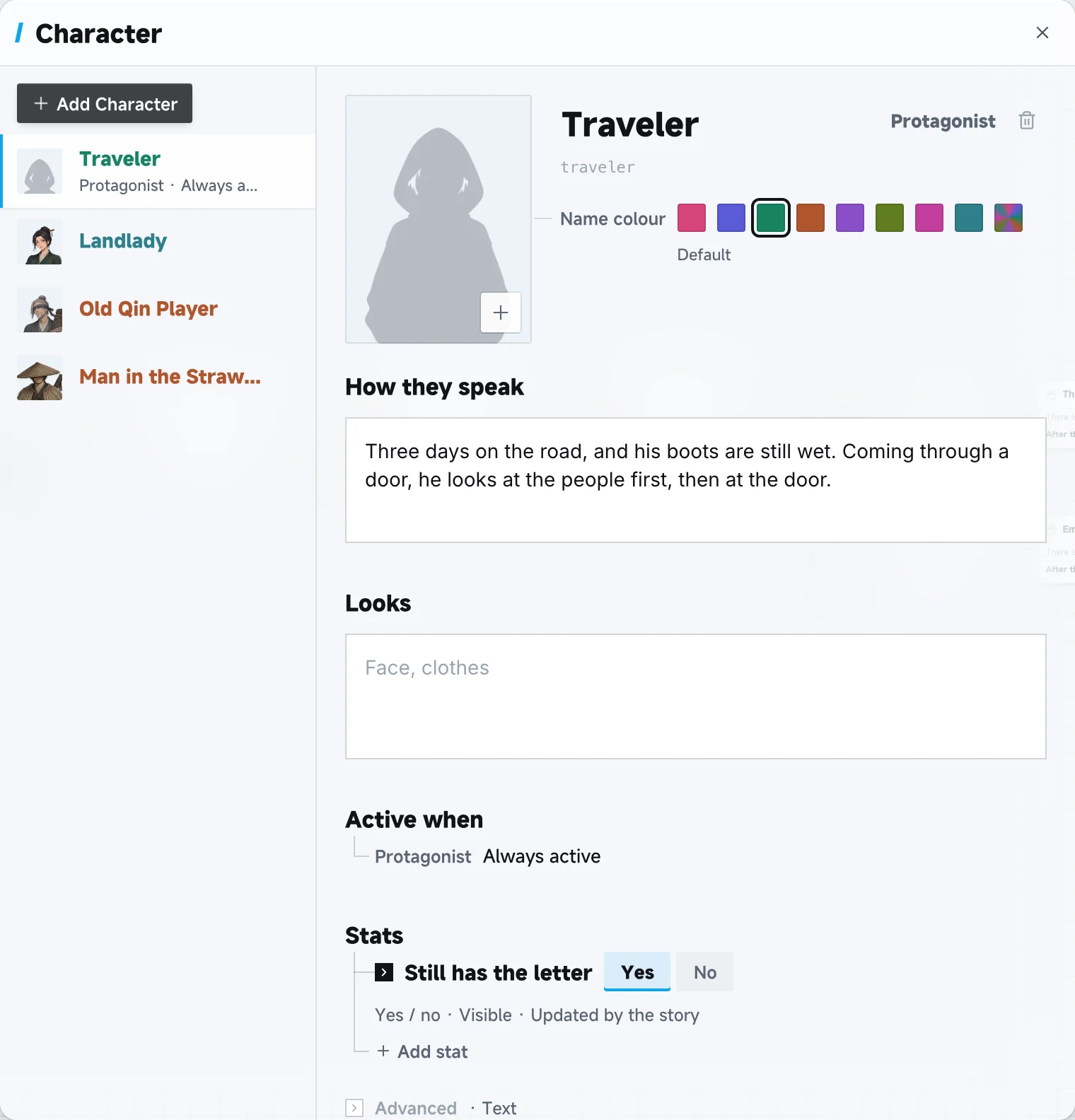
A character sheet has:
- the character's portraits and Name colour, the color of their name and lines on screen. See The stage and portraits;
- How they speak: voice, temperament, habits. Plotti writes this character's lines from it. A few concrete lines work better than a long biography;
- Looks: what they look like, in words;
- Active when (below);
- + Stats: numbers and yes/no values that belong to this character, such as trust or health. See Variables.
Make protagonist makes this character the one the player plays. The protagonist is always active.
Places, concepts and world info
A place or concept sheet has one field, Text: a description, the rules of a magic system, a faction's history. World info entries are text only, for anything that is not a character, place or concept.
Active when
A story's world can be much larger than what any one scene needs. Active when decides when Plotti can see an entry:
- Always active: every turn. Use it for what every scene needs, such as the story's background.
- On a condition: when one of its keywords came up in the recent dialogue (Mentions), or when a condition you write holds. Write "the inn, Rook's Rest", and the inn's sheet comes in whenever either name is said.
- Looked up: where a node or reply attaches it, and when Plotti decides the moment needs it.
A character on stage or speaking is always active, whatever this says.
To make sure Plotti reads an entry in a given place, attach it there: a node's or a reply's Attached settings lists the entries it always reads.