
Your first story
Create a story, add an interaction node, play it and publish it.
This page walks through a story with a single scene: an inn on a rainy night, a barkeep, and an input box. The player can say anything, and Plotti answers in the barkeep's voice. It takes about ten minutes.
You need a Plotti account and a little Poro: each turn of a play test costs Poro.
Create the story
Open V2 Editor from the navigation bar and go to My story drafts.
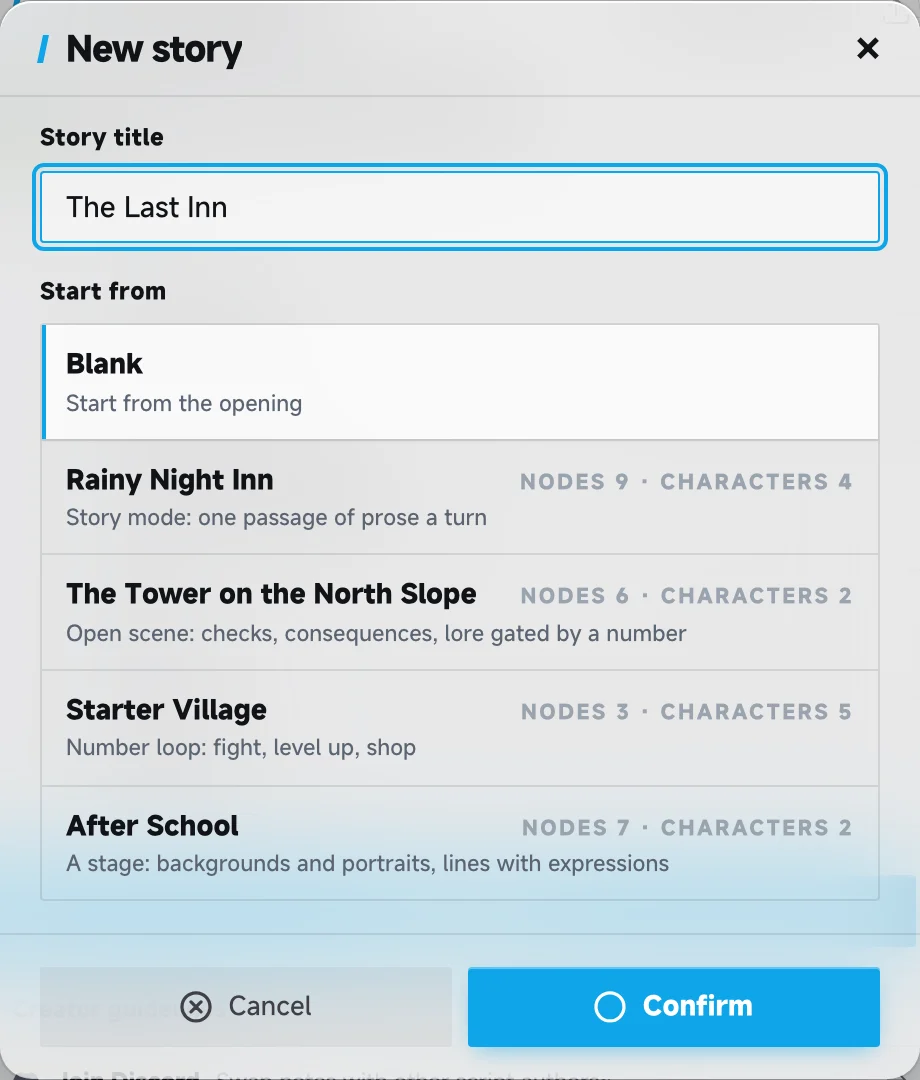
Click New story, type a title, keep Start from on Blank, and confirm.
The editor saves as you work, and the top bar shows Saved.
Add the barkeep
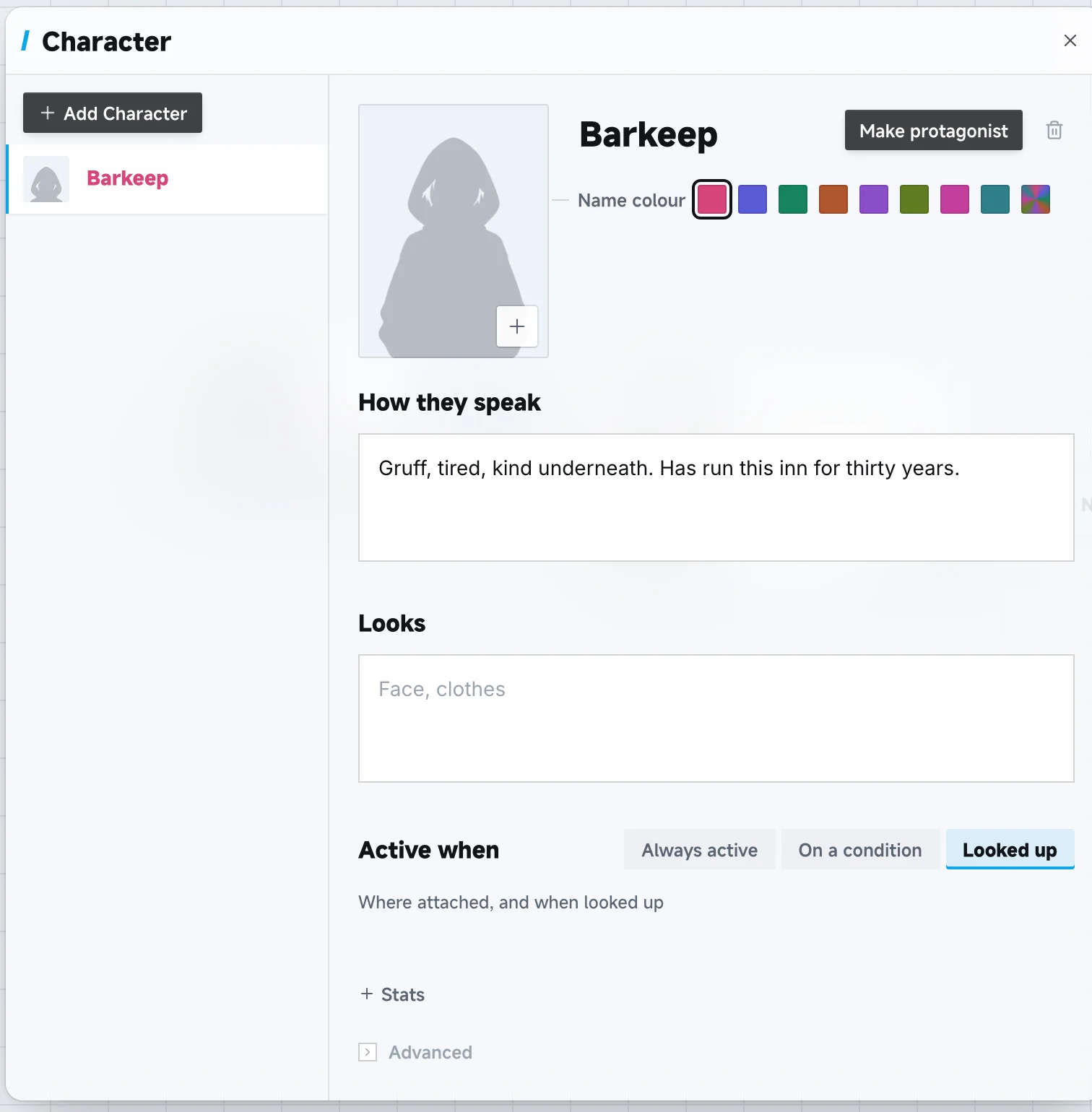
The rail on the left holds the story's settings. Open the first one, Character, type Barkeep and click Add Character.
Under How they speak, write the voice Plotti should use:
Gruff, tired, kind underneath. Has run this inn for thirty years.
Plotti reads this every time the barkeep speaks. A short, concrete description works better than a long life story.
Add the opening scene
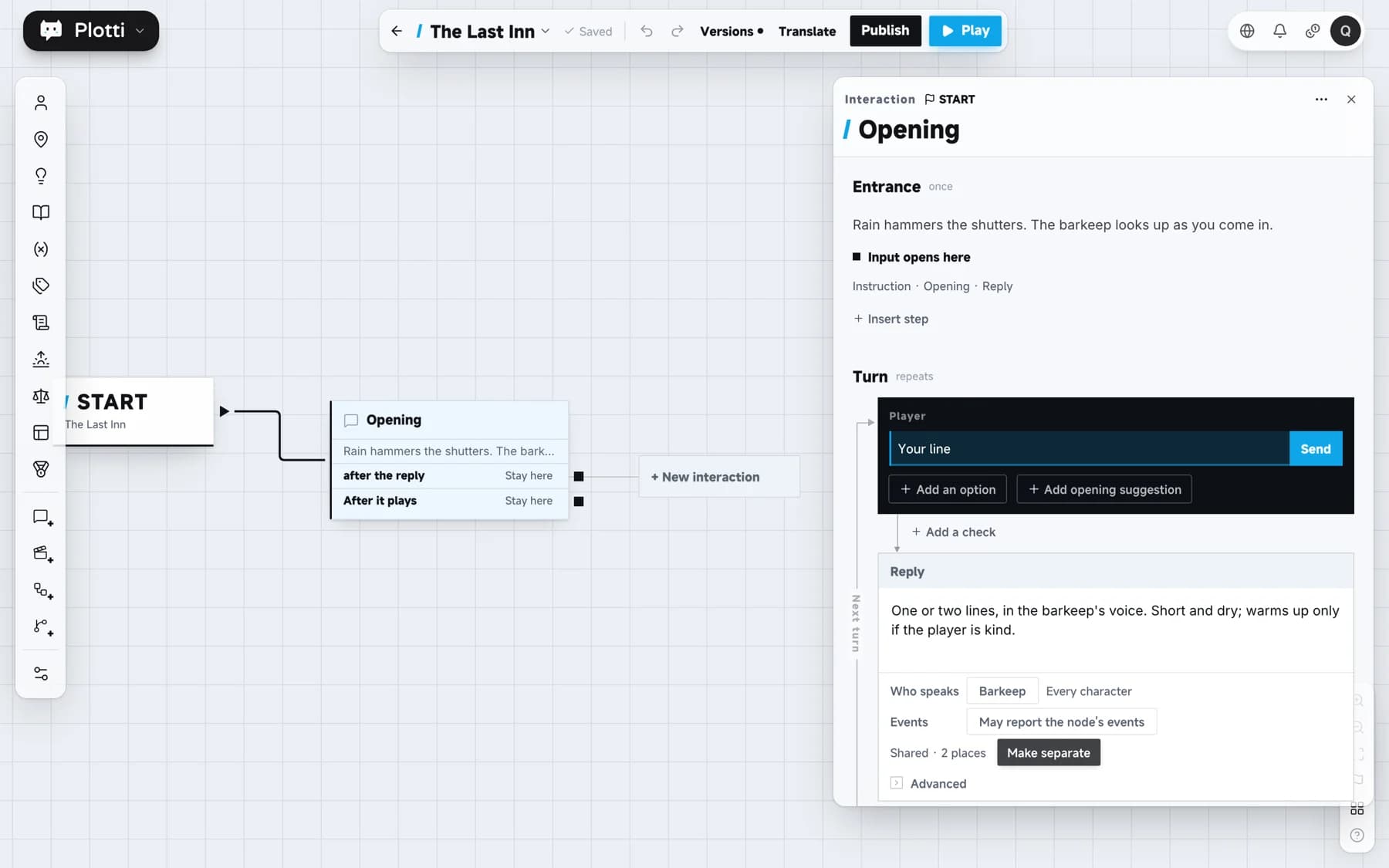
Close the panel. On the canvas, click New opening next to the START card.
The editor adds an interaction node named Opening, the scene where the game starts, and opens it on the right. It is already set up for a conversation:
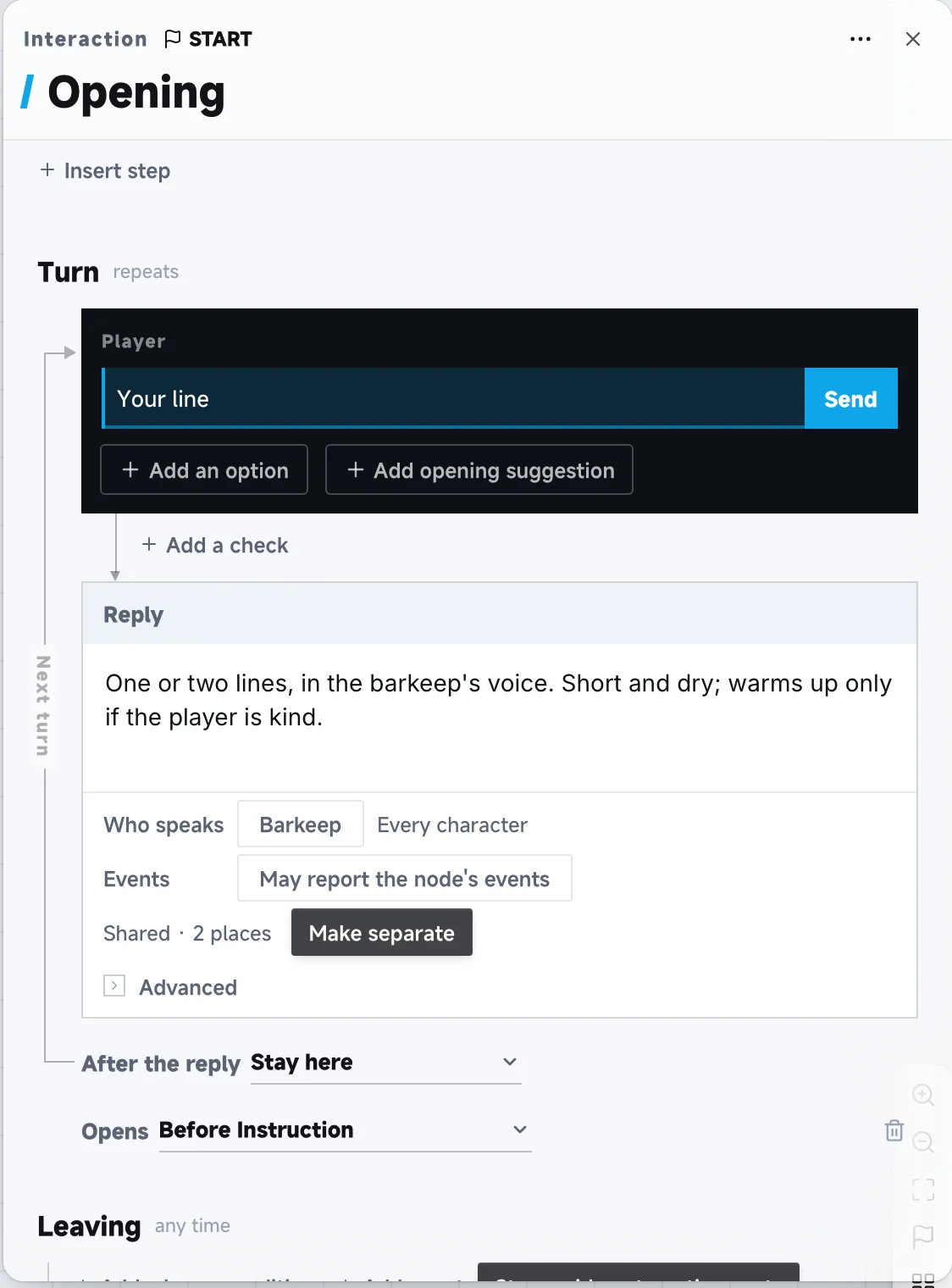
- Entrance runs only once, when the player arrives. Plotti speaks first, with the same reply she later uses to answer the player.
- Turn repeats: the player types in the input box, and Plotti answers with the Reply.
- Both exits on the node are Stay here. Until you connect the node to another one, the conversation goes on.
Set the scene with a line
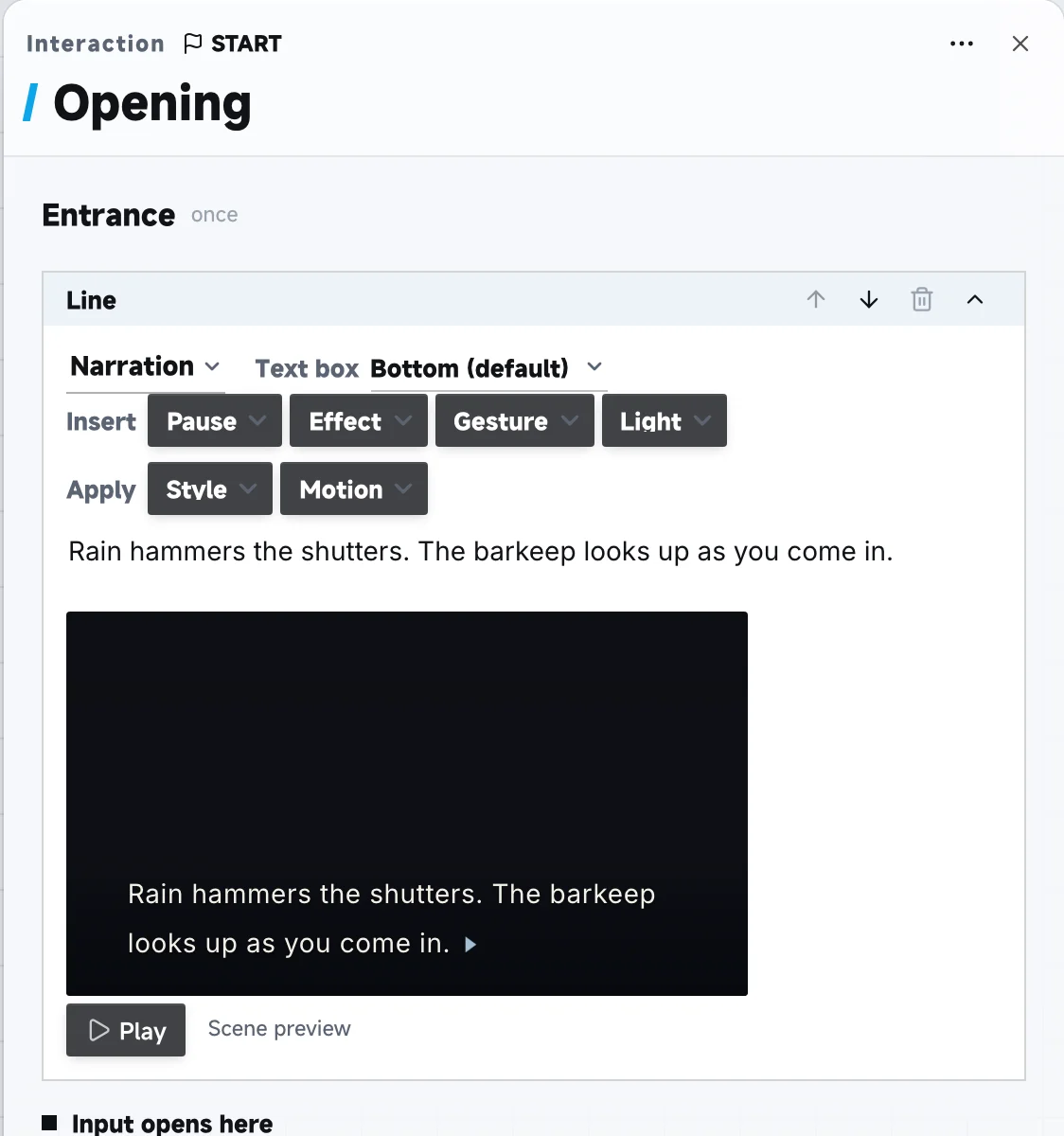
In Entrance, click Insert step above Input opens here and choose Line. Keep it on Narration and write:
Rain hammers the shutters. The barkeep looks up as you come in.
The Scene preview under the line shows it the way the player will see it.
Tell Plotti how to reply
Scroll to Reply. In How Plotti replies, write what each answer should be like:
One or two lines, in the barkeep's voice. Short and dry; warms up only if the player is kind.
Who speaks is already the barkeep, because she is the only character. Leave After the reply on Stay here.
Play it
Click Play, and the editor asks you to Pick where the play test starts: click From the opening in the top bar, or the ▶ on any node to start there.
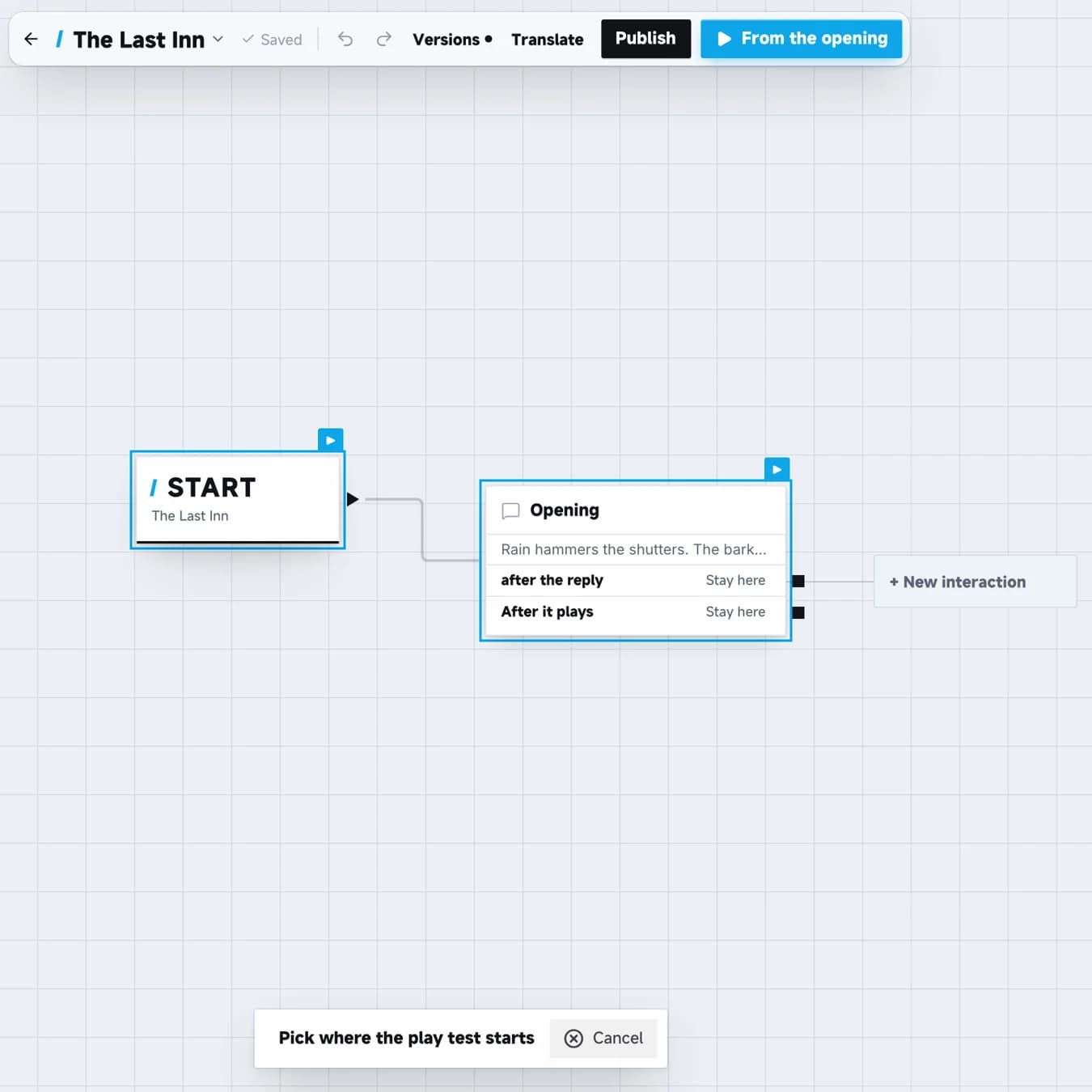
Say something to the barkeep and see how she answers. Undo this turn takes back the last turn. Each turn of a play test is paid from your Poro.
If a red number appears in the top bar, click it to see the Problems. A play test cannot start until everything under Fix before playing is fixed.
Publish
Click Publish:
- Listing: click Edit to add a cover and an introduction. Players see them in the lobby and on the story's page.
- Version and Release note: the first version is 0.0.1.
- Story language: the language the story is written in.
- Who can see it: Public lists the story in the lobby. Link only keeps it out of the lobby, and anyone with the link can play it. It suits sharing with a few people first.
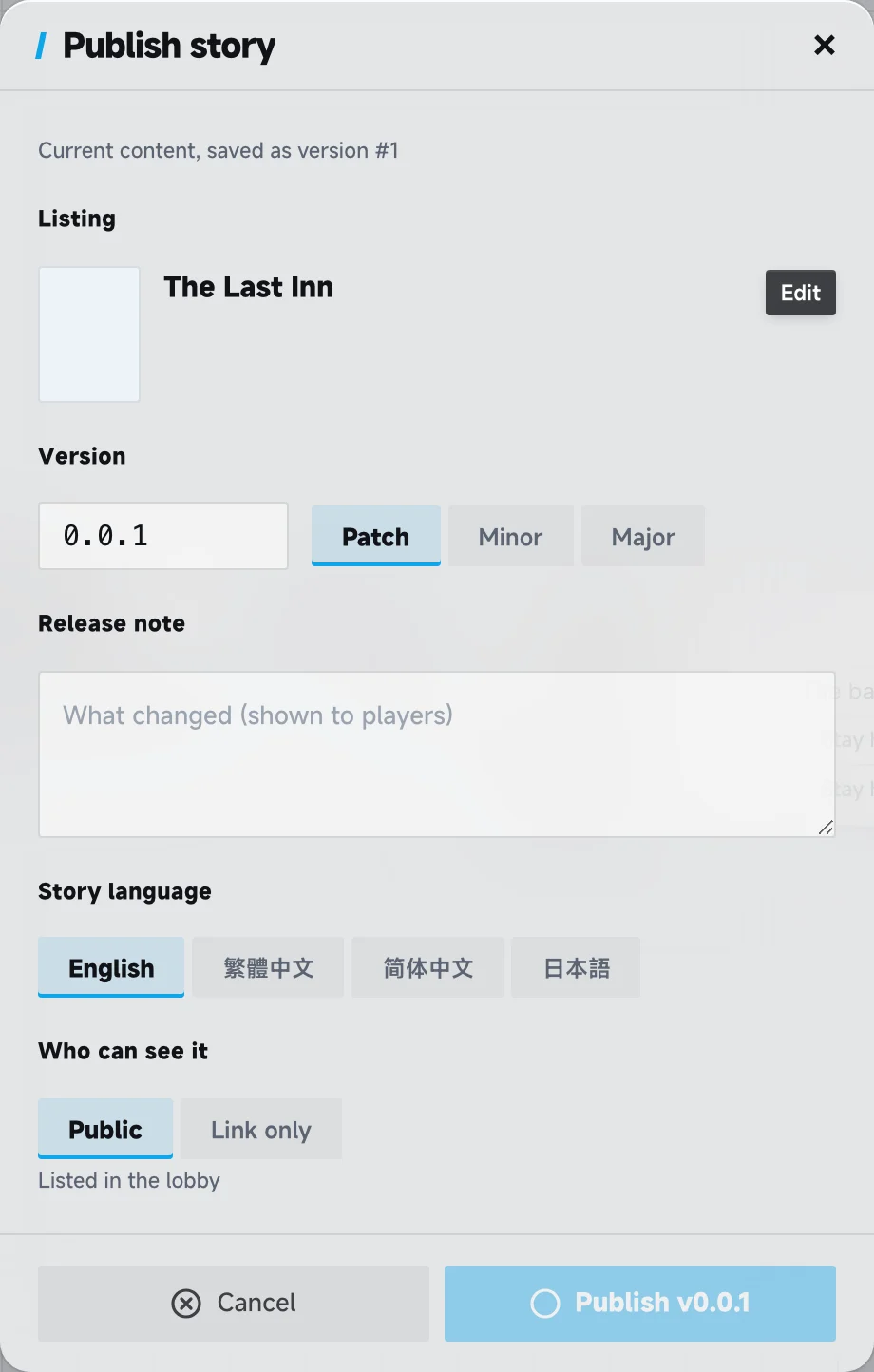
The first time you publish, Plotti reviews the story first. Once it is published, you get a link to share: the story's page (Public) or an invite link (Link only). Every exit must lead somewhere: you cannot publish while anything is left under Fix before publishing.
Next steps
- To start from something other than a blank page: New story offers four examples (Rainy Night Inn, The Tower on the North Slope, Starter Village, After School), each ready to play as soon as it is created.
- Add options, checks and more scenes: Interaction nodes.
- Give the barkeep portraits and a background, and put her on stage: The stage and portraits.
- Ask Plotti to draw portraits and covers, or to edit the story: Pictures and edits with Plotti.