
Interaction nodes
Where the player acts: lines, the input box, options and checks.
An interaction node is a scene where the player acts: types a line, clicks an option, or both. Its form reads top to bottom in the order the scene plays: Entrance, Turn, Leaving.
The examples on this page continue the inn from Your first story.
Entrance
The Entrance plays only once, when the player arrives. Its steps run in the order they are listed. Click Insert step between two steps to add a step there:
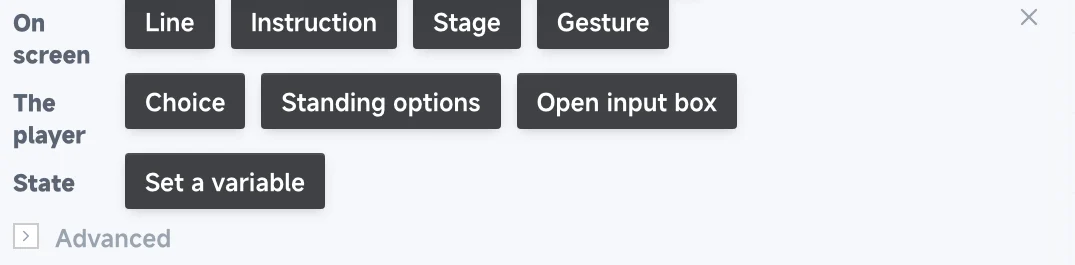
- Line: narration or a character's line, written by you.
- Instruction: Plotti writes here, following a reply. At the opening the player has not said anything yet; the first lines Plotti says are an Instruction.
- Stage and Gesture: the background, who stands where, faces and movement. See The stage and portraits.
- Choice and Standing options: options for the player (see below).
- Open input box: from this step on, the player can type.
- Set a variable: change a value the story keeps. See Variables.
- Advanced holds the other steps: time passing, achievements, cards and more.
Input opens here marks where the input box opens. The steps after it still play before the player's first turn.
Turn
The Turn is what stays open to the player, laid out the way the player sees it: the options first, then the input box.
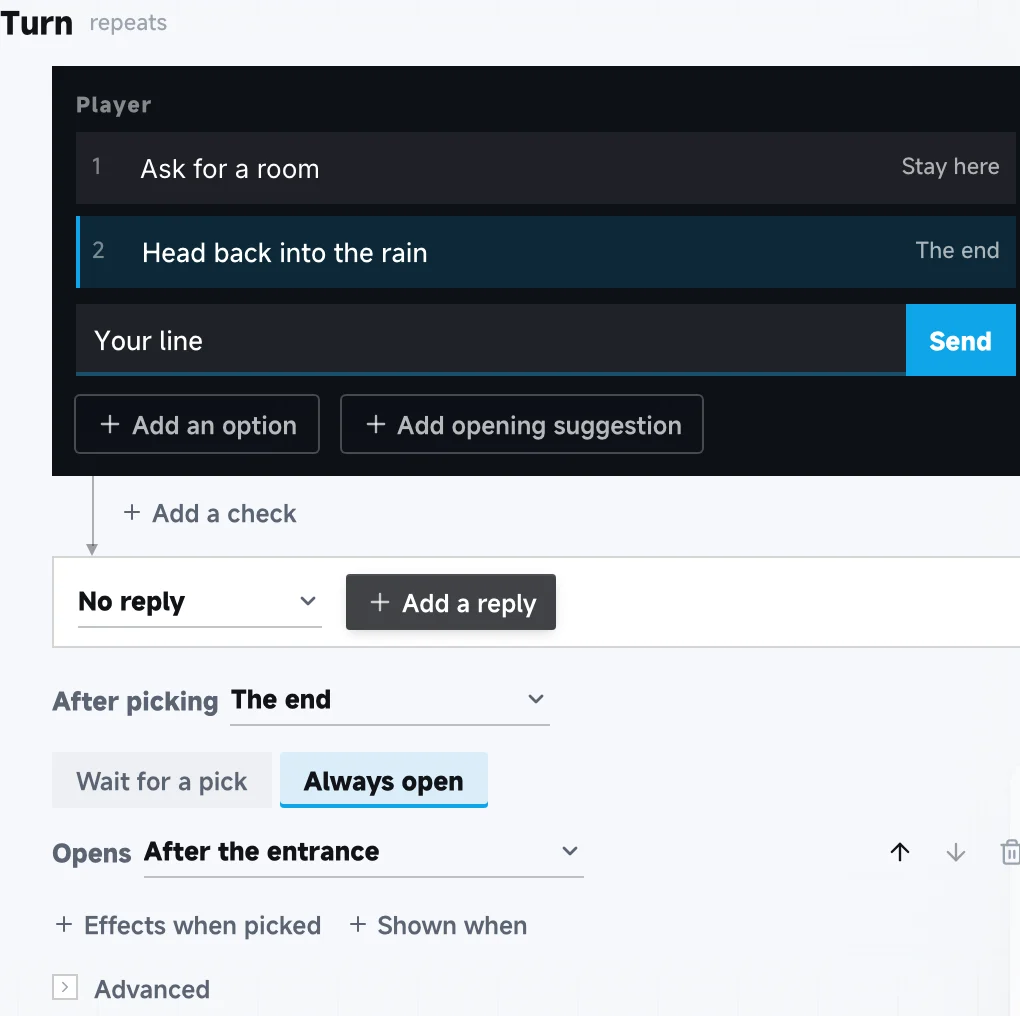
Click an option or the input box, and below it you see what happens in answer to it, from top to bottom:
- Add a check: roll dice first, and let the result change what comes next. See Checks and dice.
- Reply: what Plotti writes in answer. The input box always has a reply; an option can stay on No reply. One reply can be used in several places, and the form says so (Shared · 3 places): changing it changes every place at once. Make separate gives this place a copy of its own. See Replies.
- Where the story goes next: After the reply for the input box, After picking for an option. Stay here means the next turn starts.
The heading says repeats when the player can stay in the scene, and once when every answer leads away.
Options
Add an option adds an option the player can click. Give it a destination, or a reply and Stay here:
- Ask for a room gets the barkeep's reply and stays in the scene.
- Head back into the rain has no reply and goes to The end.
An option is Always open by default: it appears with the input box on every turn. Wait for a pick holds the scene until the player picks one of the options; the steps after it play only after the pick. Opens sets when the options appear: after the entrance, or before a given step.
Each option can also have Effects when picked, which change variables when it is picked, and Shown when, which hides it until a condition holds. Under Advanced, Clickable when shows it greyed out, with a reason, until its condition holds.
Opening suggestions
Add opening suggestion puts a line above the input box that the player can send with one click. Opening suggestions are shown only until the first turn. After that, a reply can offer suggestions of its own: turn this on in the reply's Advanced settings.
Leaving
What is under Leaving can take the player out of the scene at any time:
- Add a leave condition: as soon as the condition holds, the player goes where you choose, whatever they are doing. For example, when the barkeep's patience drops to 0.
- Add event: something that can happen in the scene. When Plotti's reply tells it, she reports it, with its effects and where it leads. See Events and automatic events.
- Story-wide automatic events lists the rules that apply in every scene.
Exits on the canvas
Every way out of the node is a row on its card, with a square at the end:
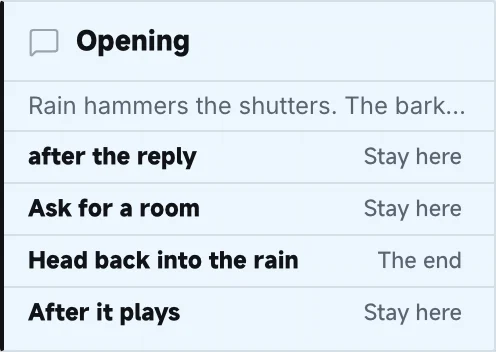
- Drag from a square onto another card to connect that exit to it. Drop it on an empty part of the canvas to create a new interaction node that is already connected.
- After it plays is where the node goes once its steps have all played and nothing is left open to the player, no options and no input.
- Not decided yet means the exit goes nowhere. A play test stops when it gets there, and the story cannot be published until every exit is decided. The red number in the top bar lists them under Problems.